How to Open a Forex Trading Account with Spec Markets: Step-by-Step Guide
Learn how to open a forex trading account with Spec Markets, from choosing account types to setting up MT5 and managing your trading risks.

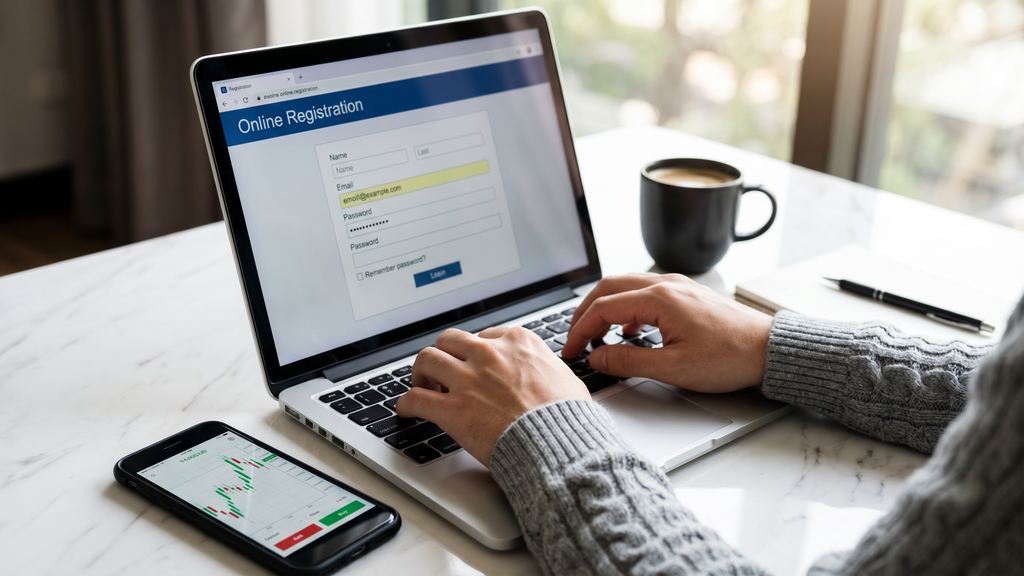
Learn how to open a forex trading account with Spec Markets, from choosing account types to setting up MT5 and managing your trading risks.
#how-to-open-forex-trading-account-spec-markets
Opening a forex account shouldn't feel like a bureaucratic obstacle course. Some brokers bury you in paperwork and leave you waiting days for basic approvals—Spec Markets takes a different approach. Setup takes under 10 minutes, demo accounts are live almost immediately, and live account verification runs in the background so you're not stuck waiting around. This guide walks you through the whole process, whether you're opening your very first trading account or moving over from another broker.
Spec Markets stands out with two carefully designed account types, both running on the reliable MT5 platform that traders worldwide trust.
The Raw Zero account delivers spreads from 0.0 pips with a small commission per trade—perfect for active traders who need the tightest spreads possible. The Pure Spread account offers spreads from 1.0 pips with zero commission, making pricing transparent without commission calculations.
Both accounts provide leverage up to 1000:1, giving you substantial buying power regardless of your starting capital. You'll also get access to social trading features for following successful traders, plus a rewards program and weekly competitions with real cash prizes.
Demo or live? That's your first choice. If you're newer to forex, a demo account is worth the time—you get $100,000 in virtual funds to practice with, no financial pressure, and a genuine feel for the platform before any real money is involved. If you've already spent time in the markets, there's nothing stopping you from heading straight to a live account.
We'll walk through opening both types, starting with the simpler demo process.
Head to specmarkets.com—you'll find the "Open Demo Account" and "Open Live Account" buttons right on the homepage, hard to miss. Demo registration is quick and asks for very little, while live accounts require a few extra details to satisfy regulatory requirements.
The demo form asks for basic details:
Choose leverage thoughtfully. Higher leverage boosts potential profits but also increases risk. New traders often start with moderate levels like 100:1 or 200:1 while building experience.
Live registration requires additional information for compliance:
This helps Spec Markets ensure the platform matches your experience and financial situation, as financial regulations require.
Live account holders choose between two options:
Which one fits you depends entirely on how you trade. Scalpers and day traders tend to gravitate toward Raw Zero—when you're placing multiple trades a day, those tighter spreads translate into real savings over time. Swing traders often prefer Pure Spread because the cost is baked right into the spread, with no commission math to worry about.
Check your inbox for Spec Markets' verification email after registration. Click the activation link for both demo and live accounts. If it's not showing up, your spam folder is the first place to look—emails from trading platforms have a habit of landing there.
Before you can deposit or withdraw on a live account, you'll need to verify your identity. Upload these documents:
Take clear photos or scans—blurry or incomplete images delay verification. Most approvals complete within 24-48 hours on business days.
Spec Markets uses MetaTrader 5 (MT5) for all trading. While waiting for verification, download MT5 from the official MetaQuotes website or through Spec Markets' platform page.
MT5 works on:
The mobile apps are especially handy for monitoring trades and markets when you're away from your computer.
You'll receive login credentials via email once your account is approved:
Open MT5, select "File" > "Login to Trade Account," enter your credentials, and choose the correct Spec Markets server. Your account should connect within seconds with a stable internet connection.
Demo accounts come pre-loaded with virtual funds, so this step only applies to live accounts. Spec Markets accepts several payment methods, though availability can vary depending on where you're based:
Minimum deposit requirements differ by account type and payment method. Card deposits tend to go through right away, while bank transfers typically take between one and three business days to clear.
Before placing your first trade, get familiar with MT5's interface:
MT5 offers extensive customization. You can rearrange windows, change colors, and create multiple chart layouts for different strategies.
When ready to start trading:
One thing worth emphasizing on stop losses: use one on every trade, without exception—especially when you're starting out. It's a simple concept in practice—an automatic exit that closes your position if the market moves too far against you. That single habit can be the difference between a manageable loss and a blown account.
Proper risk management is crucial from day one:
Never risk more than 1-2% of your account balance per trade. With $1,000, risk no more than $10-20 per trade.
Set stop losses on every trade. A good starting point is risking no more than 20-30 pips on major currency pairs.
Know your exit before you enter. A simple framework: risk 20 pips to target 40. At that 1:2 risk-reward ratio, your account can still grow even if you're only winning half your trades—the math works in your favor over time.
Spec Markets' social trading tools are worth exploring early on. Browse other traders' track records, automatically copy their positions, or simply observe how more experienced traders navigate different market conditions. Any of those approaches can meaningfully compress your learning curve.
Once you've found your footing on the platform, the weekly competitions are worth entering. There are real cash prizes up for grabs, and competing against other traders tends to bring a level of focus and discipline that solo practice rarely produces on its own.
Take advantage of the rewards program, which typically offers benefits based on trading volume and account activity. Check current details on your account dashboard.
Use educational materials Spec Markets provides. Most brokers offer market analysis, trading guides, and webinars to help traders improve.
If verification takes longer than expected, contact Spec Markets support. Common problems include unclear document photos or mismatched personal information.
If MT5 won't connect, the culprit is usually a firewall blocking the application or the wrong server selected during login. Try switching to a different server from the dropdown, and if that doesn't fix it, reach out to support to confirm you have the right server details.
Deposits do occasionally get delayed—banking restrictions and technical issues are a reality. Keep your transaction receipts handy, and if a deposit hasn't appeared within the expected window, contact support with that documentation ready.
Getting your account open is just the starting point. Here's what to focus on next:
Put together a trading plan covering your goals, risk tolerance, preferred trading sessions, and the strategies you intend to use. Having that structure in place makes it much easier to stay disciplined when the market gets noisy—and it will.
Even after opening a live account, keep demo in your toolkit for testing anything unfamiliar. New strategy, new instrument, new approach—run it through demo before committing real capital.
There's no advantage to trading large positions before you're ready. Begin with smaller sizes, get a feel for how the platform behaves with real money on the line, and increase your exposure gradually as your results and confidence develop.
Forex markets are always evolving. Stay in the habit of following market news, picking up new strategies over time, and engaging with other traders—the right community can be a genuinely useful resource for keeping your edge sharp.
Opening a forex account with Spec Markets puts you in front of global currency markets with competitive spreads, flexible leverage, and a professional-grade trading environment. Whether you ease in through demo or go straight to live trading, the platform is built to support traders at every level.
Demo accounts are up and running within minutes, and verified live accounts are typically ready within one to two business days. With MT5 as your platform and Spec Markets' conditions behind you, you'll have what you need to get started on the right foot.
Ready to begin? Visit specmarkets.com and open your account today.